

Have you ever looked at something tiny, a circuit board, a coin, or even your skin, and wished you could zoom in to see every detail clearly?
That’s exactly what a USB digital microscope camera allows you to do.
Whether you’re a student, hobbyist, technician, or just someone curious about the microscopic world, this powerful yet compact gadget transforms how you explore, analyze, and work.
In today’s tech-driven lifestyle, tools that enhance precision, productivity, and understanding are essential, and this is one of them.
In this guide, you’ll learn:
- What a USB digital microscope camera is
- Key features and benefits
- Real-world applications
- How to choose the right one
- Tips for getting the best results
Let’s zoom in.
What Is a USB Digital Microscope Camera?
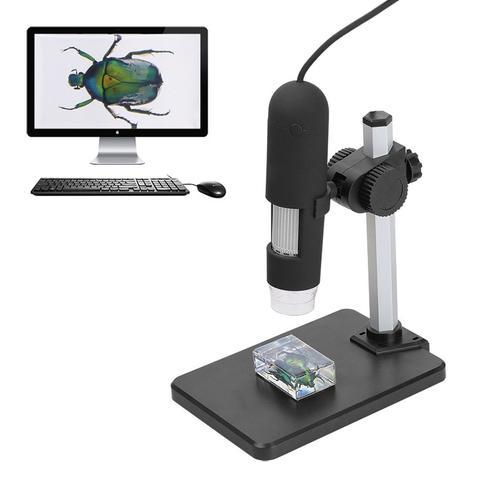
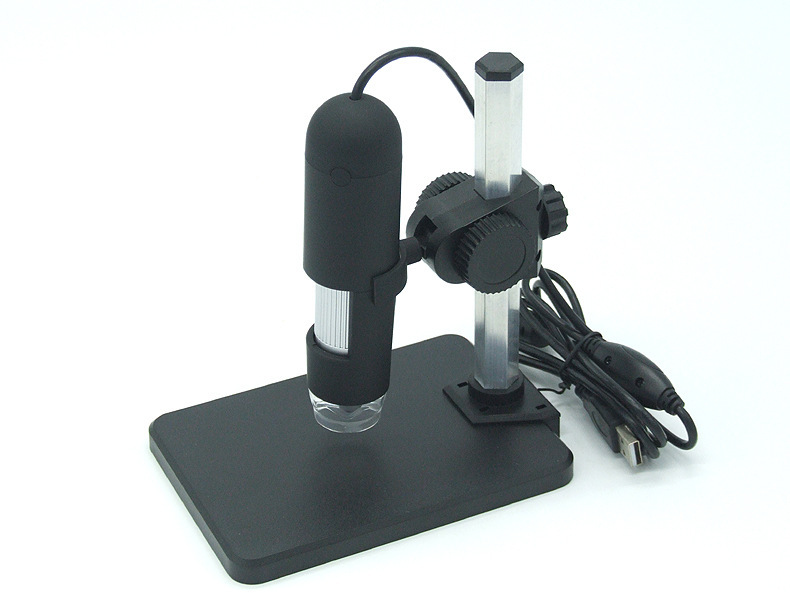
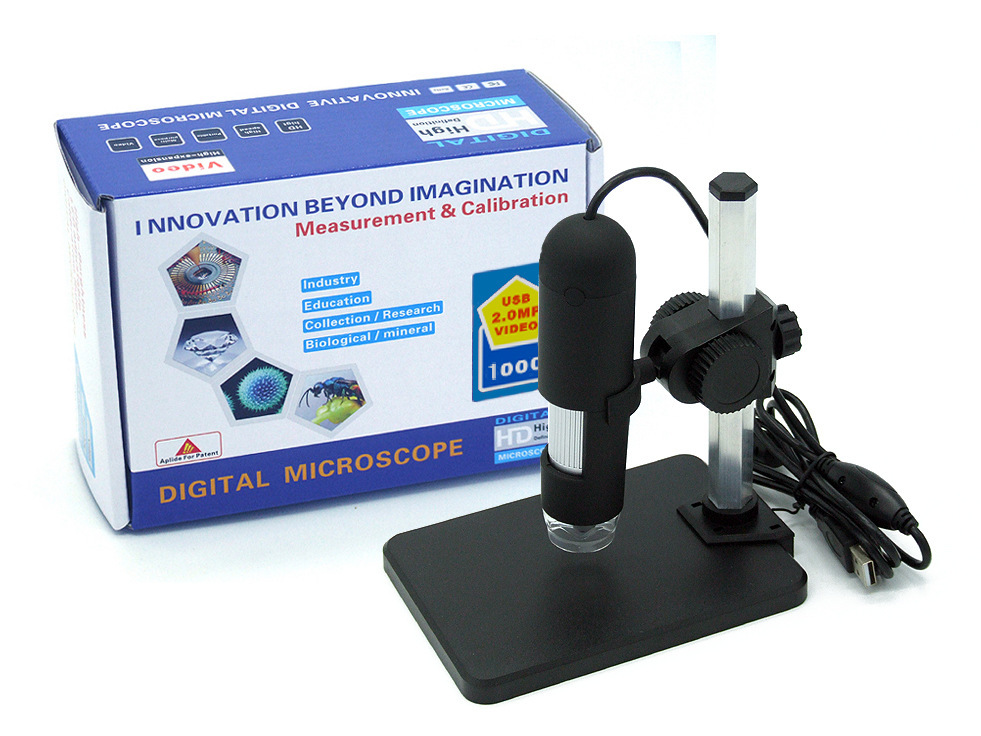
A USB digital microscope camera is a compact device that connects to your computer or smartphone, allowing you to view magnified images and videos in real time.
How It Works
- Plug into a USB port
- Use compatible software or app
- View magnified objects on your screen
What It Can Magnify
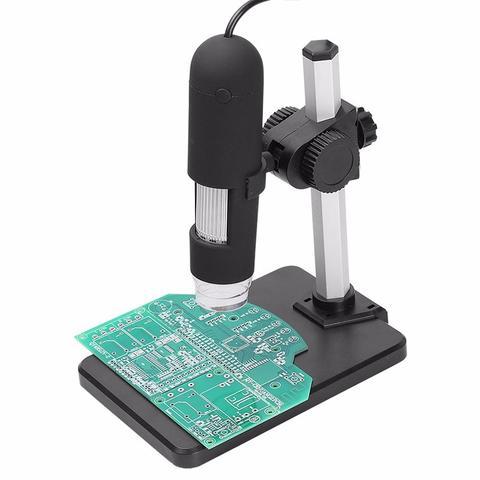
- Electronics (PCBs, components)
- Skin and hair
- Plants and insects
- Coins, jewelry, and collectibles
Why a USB Digital Microscope Camera Is a Must-Have Tech Tool
1. High-Level Precision
- See fine details clearly
- Ideal for inspection and analysis
2. Real-Time Viewing
- Display on a larger screen
- Capture images and videos
3. Easy to Use
- Plug-and-play functionality
- No complicated setup
4. Portable and Compact
- Lightweight design
- Perfect for work, school, or travel
How This Device Improves Productivity
Faster Problem Solving
- Identify issues quickly (electronics, repairs)
Time Efficiency
- No need for bulky lab equipment
Better Accuracy
- Precise viewing leads to better results
Key Features to Look For
1. Magnification Range
- 50x–1000x or higher
- Suitable for different tasks
2. Image Resolution
- 720P → Basic use
- 1080P → Clear, detailed images
- Higher resolutions for advanced use
3. Built-In LED Lighting
- Adjustable brightness
- Better visibility in low light
4. USB Compatibility
- Works with laptops, PCs, and some smartphones
5. Adjustable Stand
- Stable positioning
- Hands-free operation
Real-Life Use Cases
Electronics Repair
- Inspect circuit boards
- Fix small components
Education
- Learn science interactively
- Explore microscopic details
Jewelry & Collectibles
- Examine authenticity and details
Nature Exploration
- Study plants and insects up close
Remote Work & Content Creation
- Create detailed visual content
- Share findings easily
Common Mistakes to Avoid
Choosing Low Resolution
- Results in blurry images
Ignoring Lighting
- Poor visibility affects results
Unstable Setup
- Leads to shaky images
Overlooking Compatibility
- Ensure it works with your device
Tips for Getting the Best Results
Use a Stable Surface
- Prevents shaking
Adjust Lighting Carefully
- Avoid glare or shadows
Focus Slowly
- Achieve clear images
Experiment with Angles
- Find the best viewing position
Recommended Tech to Pair with Your Microscope
To enhance your setup:
Charging Accessories
- Keep devices powered during use
Desk Organizers
- Maintain a clean workspace
Smart Home Accessories
- Improve your work environment
Portable Gadgets
- Stay productive anywhere
Why This Fits a Smart, Modern Lifestyle
A USB digital microscope camera is more than a niche gadget — it’s a powerful productivity tool.
It supports:
- Precision work
- Efficient learning
- Smart exploration
- Portable convenience
A USB digital microscope camera opens up a world of detail you can’t see with the naked eye.
It helps you:
- Work with precision
- Learn more effectively
- Solve problems faster
- Explore new possibilities
Whether you’re repairing electronics, studying, or simply curious, this tool adds real value to your setup.
Click HERE to get yours
Because the right tools don’t just help you see, they help you understand more.

Upgrade Your Everyday Setup
Discover practical tech gadgets and accessories designed to simplify your routine, improve your workspace, and bring more convenience to daily life.
Shop Now